Coding HTML using the TextEdit program on the Macintosh:
(Note that on Windows PCs you can use the Notepad program for which no modifications are necessary.)
Find the TextEdit program in the Applications folder. Launch TextEdit.
Go to the TextEdit "FILE" drop-down menu and select Preferences...
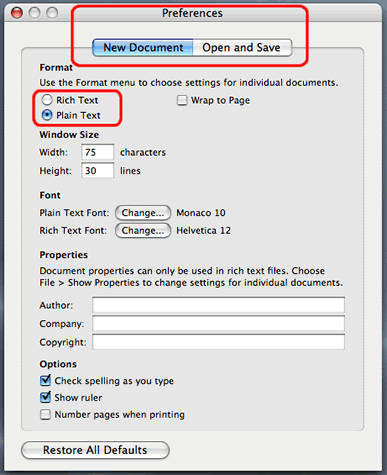
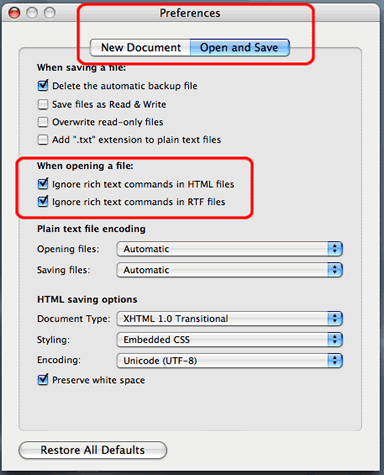
You will get a Preferences window that has 2 tabs called "New Document" and "Open and Save". Set the preferences as shown here, so that any new html page you make will not get treated to an "rtf" ("rich text format") display. You need just the "plain" text and nothing but the plain text!!
You are checking for several items in the Preferences, as outlined here in red.