Introduction to Digital Media
ARS 162, Spring 2006
Instructor: Barbara Lattanzi
You will select an educational, governmental, military, or corporate film from the Prelinger Archives. Download a video copy in the "mpeg4" or ".mpg" format. Preferably this copy will be higher quality. (The larger the file size the higher the technical quality of the video.)
You are selecting a movie with a view to its potential for having a metaphorical connection to either a personal memory or to a contemporary condition or situation (social, political, or cultural). Note that a metaphor does not denote something directly, but connotes the thing being referenced by suggestive similarities. A metaphor is a big category and can include irony or allegory as a way constructing meaning.
Your downloaded file will play in a Quicktime movie player.
Divide the duration of your film into 10 or 12 equal segments. Make a screen-grab of one frame at the approximate mid-point of each of those segments.
Use the Quicktime movie player to determine the duration of the film. In the Quicktime player, the film's playback time and duration ("timecode") is indicated in the lower left corner of the player. The timecode is indicated as a string of digits, "hours:minutes:seconds".)
Remember, on the Mac, you can do a screen-grab using a combination of 3 keys. While holding down the "Shift" key and the "Apple" key, click on key "4". That makes a crosshair appear where your cursor is located on the screen. Click and hold down the mouse, starting from the upper-left corner dragging the mouse down to the lower-right corner of the area you want to grab. Then let go of the mouse-button. A "Picture" file will appear on your desktop.
Write a list of 10-12 phrases or sentences that elaborate on the connections between your selected archival film and the memory or current situation/condition for which the archival film stands as a metaphor.
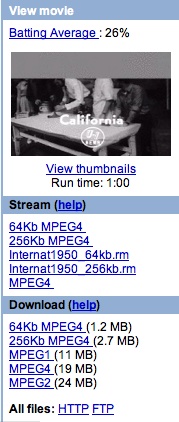 |
When you find the page for your selected film. Click on the "HTTP" link below the list of files, in the area that says "All files: HTTP FTP" |
|---|---|
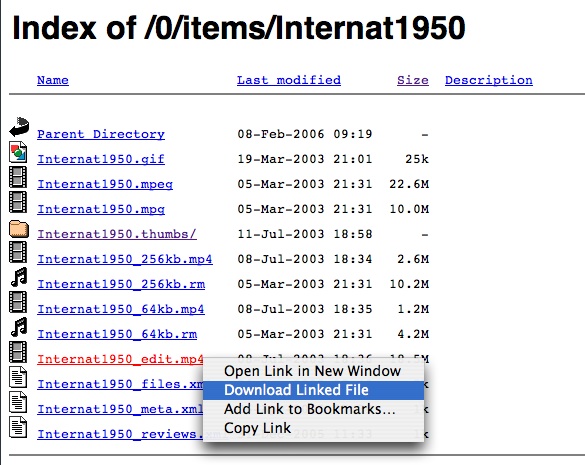
On the Mac, hold down the Control key and click on the "mp4" file that you want to download to the computer. Depending on which web browser that you are using the submenu choice will either be "Download Linked File" (as illustrated here) or something like "Save link as..." Download time will be approximately 2M per minute. |
|